· 3 min read · By the Kinfolk team at Kinfolk Digital Ltd
Why your phone shows the wrong location
01
How your phone works out where you are
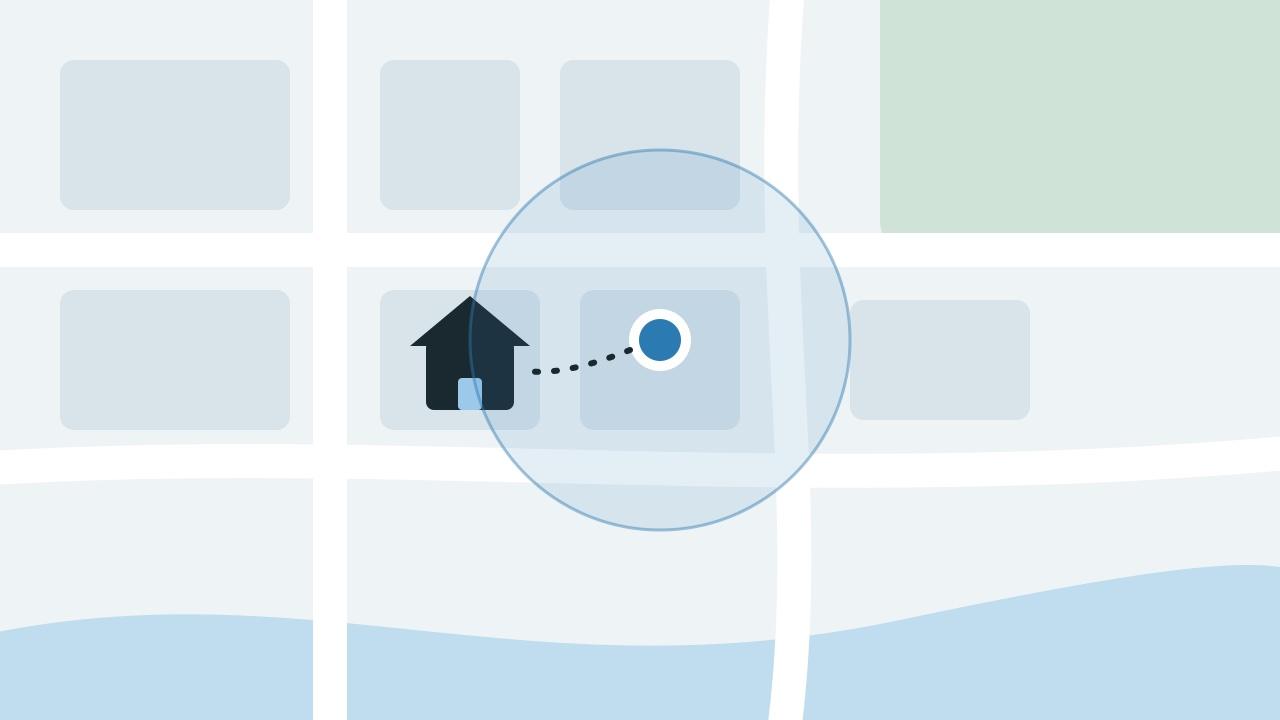
Your phone does not rely on GPS alone. It mixes satellite signals with nearby Wi-Fi networks, mobile phone masts and its own motion sensors, and then shows its best guess as a dot with a circle around it. The circle is the honest part. It tells you how unsure the phone is. A small circle means it is confident. A big circle means the dot could be anywhere inside it.
Outdoors with a clear view of the sky, a modern phone is usually accurate to within about five metres. Indoors, between tall buildings, or in an underground car park, the satellites are blocked or their signals bounce off walls, and the phone falls back on Wi-Fi and phone masts. That is when the dot drifts to the house next door or the other side of the road.
02 · Question
Why does my location show someone else's house?
Usually because the phone is guessing from Wi-Fi or a phone mast rather than GPS. If you are indoors, the best guess might land on a neighbour's house, the middle of the street, or the centre of your block. Look at the size of the circle around the dot. If it is wide, the phone is telling you it is not sure.
A less obvious cause is a Wi-Fi router that has moved. Phones partly locate themselves by recognising nearby Wi-Fi networks. If you brought your router from an old address, the location services may still think that network lives at your old home for a while, and your phone can jump there. This normally corrects itself as more phones report the router in its new place.
03
Fixes for iPhone
Open Settings, Privacy and Security, Location Services, and choose the app that is showing the wrong place. Make sure Precise Location is turned on. With it off, the app only gets an approximate area that can be several kilometres wide, which looks like being in the wrong town.
Keep Wi-Fi switched on, even if you are not connected to a network. The phone uses nearby networks to place itself. In Settings, General, Date and Time, make sure Set Automatically is on. Then restart the phone. If the problem keeps coming back, go to Settings, General, Transfer or Reset iPhone, Reset, and choose Reset Location and Privacy. You will need to give apps permission again afterwards.
04
Fixes for Android
Open Settings, Location, Location services, and turn on Google Location Accuracy, which may be called Improve Location Accuracy on some phones. Make sure Wi-Fi scanning and Bluetooth scanning are on, because they help the phone place itself even when Wi-Fi is off. Check that the app showing the wrong place is allowed precise location, not approximate.
In Google Maps, if the blue beam showing which way you are facing is wide or pointing the wrong way, tap the blue dot and choose Calibrate to recalibrate the compass. Turning battery saver off can help too, because some phones reduce location checks to save power.
05 · Question
Why does Google or a website think I'm in another city?
When a laptop or a website has no GPS to use, it often guesses your location from your internet connection. That guess points to wherever your broadband or mobile provider routes its traffic, which can be a city many miles away. A VPN makes this worse, because it can make you look as if you are in another country.
To fix it in a browser, allow the site to use your device location when it asks, rather than relying on your internet address. On a Google search, the location shown at the bottom of the results page can be updated by allowing your precise location. Turning off a VPN usually puts you back in roughly the right place.
06 · Question
Why does my location show in the wrong place for other people?
If friends or family see you in the wrong spot, it is usually one of two things. Either your phone sent them an inaccurate guess, which the fixes above help with, or your location is old. Most apps keep showing the last place they heard from your phone, so a phone with no signal, low battery mode on, or the app closed in the background can look as if you are still somewhere you left an hour ago.
Check the time shown next to your location in the app they are using. If it is old, the problem is updates, not accuracy. Google Maps location not updating and why share my location is not working cover those problems step by step.